TrustFlare Access · Device trust for your SSO and VPN
Passwordless access.
Biometric verification.
At a price that makes sense.
CompanyAllow work sign-ins only from devices your company approves.
EmployeeFast, convenient SSO sign-in without typing a password every time.
01 / The device boundary
Control access.
On your terms.
A lightweight agent connects the computer. Your policy decides whether it belongs.
- 01
Install
A desktop agent for macOS, Windows and Linux.
- 02
Approve
An administrator approves the device, or an employee confirms it by phone where policy allows.
- 03
Sign in
TrustFlare checks the device before protected access continues.
For company-owned and personal computers. No mandatory MDM or browser extension. The agent reports limited device facts, not personal files or messages.
02 / TrustFlare SSO broker
Keep your cloud SSO.
Add a device-trust layer.
Connect TrustFlare to your SSO as an application. Use it as the access broker for connected work apps.
Your SSO
Authenticates the person
TrustFlare
Applies device policy
Work apps
Trust the broker
Your SSO keeps primary authentication and MFA. Apps connect to the broker; VPN integration is scoped per pilot.
03 / The everyday experience
Approved laptop.
Fewer sign-in steps.
Eligible, approved devices can use passwordless sign-in when company policy enables it.
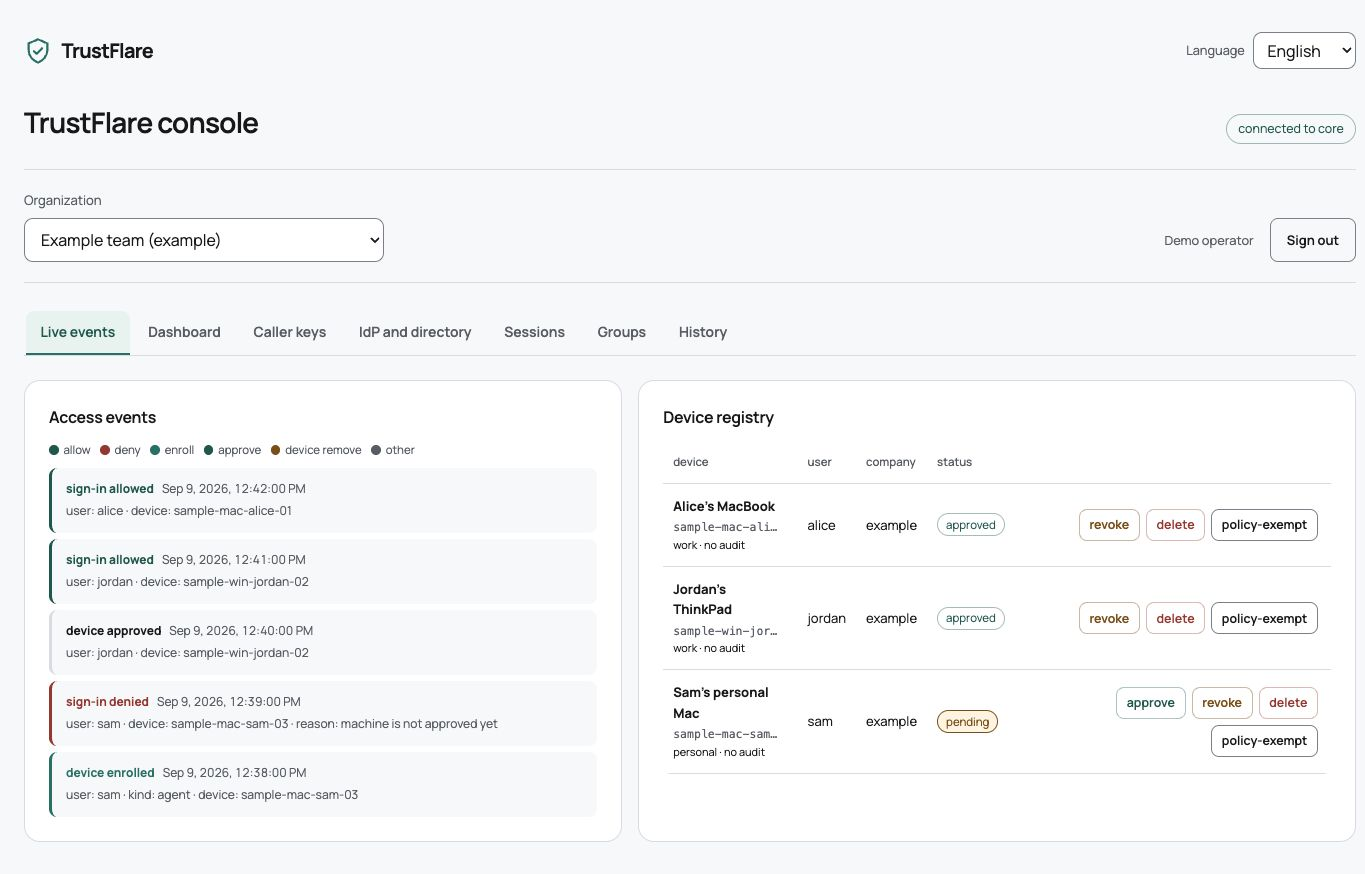
The live demo and console require an access token. Approve new devices. Revoke lost ones. See access decisions. Revocation blocks future protected sign-ins; it does not terminate existing application sessions.
04 / Key protection
Hardware-backed when the chip can.
Compatibility when it cannot.
On capable machines the key is signed inside the Secure Enclave, so it does not leave the chip. Older hardware stays in the fleet: the chip wraps the key and the agent uses it without changing the device identity.
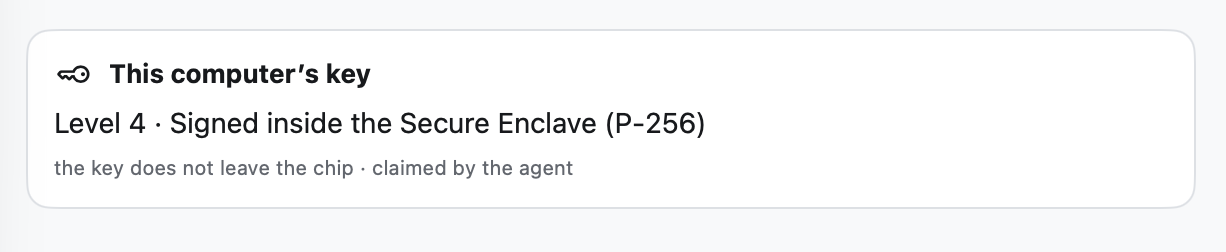

Your policy decides which storage classes you accept. A later upgrade does not change the device identity.
05 / Illustrative budget · USD
Add device trust.
Keep the starter plan.
Keep starter SSO. Add TrustFlare for $2 per user / month.
| Provider | Starter SSO | Vendor security plan | Starter SSO + us |
|---|---|---|---|
| Okta | $6 | $23 | $8 |
| Microsoft | $7 | $18 | $9 |
| $7 | $15 | $9 |
| Provider | Vendor security plan | Starter SSO + us |
|---|---|---|
| Okta | $280,000 | $96,000 |
| Microsoft | $220,000 | $108,000 |
| $180,000 | $108,000 |
Illustrative pricing. See all TrustFlare plans
Technical details & frequently asked questions
How it works
Approval in your pocket.
The phone app lets an employee confirm a new computer and revoke a lost one.
Set up the phone
Register the mobile app as the controller for your devices.
EnrollConfirm the computer
A new device waits for approval. A password alone does not approve it.
ApproveRemove access
Revoke a computer from the phone if it is lost or no longer needed.
RevokeYour enrollment policy has the final say. Administrator-only approval keeps a request pending until an administrator accepts it.
Key protection
One identity. Two storage options.
Mobile devices retain the same Ed25519 identity when upgrading key protection. Your policy decides which storage classes are acceptable.
Protected local storage
On iOS, the key uses ThisDeviceOnly Keychain storage. Android uses a Keystore-backed AES wrapper without an attestation challenge.
Allowed or blocked by policyWith platform evidence
The core verifies attestation evidence linked to the device public key and a fresh challenge. Platform support must be validated for your deployment.
Verified by the coreAttestation adds evidence; it does not replace the Ed25519 signing identity with a P-256 key. Apple signing and physical-device acceptance are still in progress.
How it works
Upgrade first. Enforce when ready.
Ask phones to upgrade key protection before restricting the older storage class.
Request an upgrade
Start an attestation campaign for enrolled phones.
CampaignReview the results
See failures in the journal and check which devices need help.
VisibilityApply your policy
Block unattested storage when ready, with individual exceptions where needed.
Per-device exceptionsA failed upgrade does not silently become an accepted attestation. Downgrades from attested to unattested storage are rejected.
How it works
A small agent. A familiar sign-in.
The desktop agent sends signed device information directly to the core. The browser carries only a short-lived, one-use handle.
Install the agent
Use it on company or personal computers without a mandatory MDM rollout.
macOS, Windows, LinuxStart sign-in
The agent opens your normal SSO flow. No browser extension is needed.
Your existing browserKeep collection limited
Policy controls the information included. There is no arbitrary remote shell from the admin console.
Limited collectionThe agent can be switched off. Without device proof, protected sign-ins cannot proceed; personal use of the computer remains available.
Administration
A clear view of who belongs.
Manage enrollment, import users and devices, and review coverage from the console.
Changes apply without restarting the core. Individual exceptions do not change the policy for everyone.
Questions
A few things to know
Does this replace MDM?
No. TrustFlare controls sign-in from approved devices. It does not provide remote wipe or full device management.
Do I need a browser extension?
No. Sign-in starts in the desktop agent and continues in your browser.
Does device posture block access?
Not today. Device state is visible in the console, but posture checks do not currently determine sign-in decisions.
Are all mobile platforms release-ready?
Availability and attestation support must be verified during your pilot. Apple signing and physical iPhone acceptance are still in progress.
Try TrustFlare Access
Your SSO. A few devices. A clear result.
Choose one application and a few devices. Test sign-in, revoke a device and test again. We will confirm SSO compatibility, pilot scope and success criteria together.